
Projector Enclosure Maintenance Best Practices for Reliable AV Performance
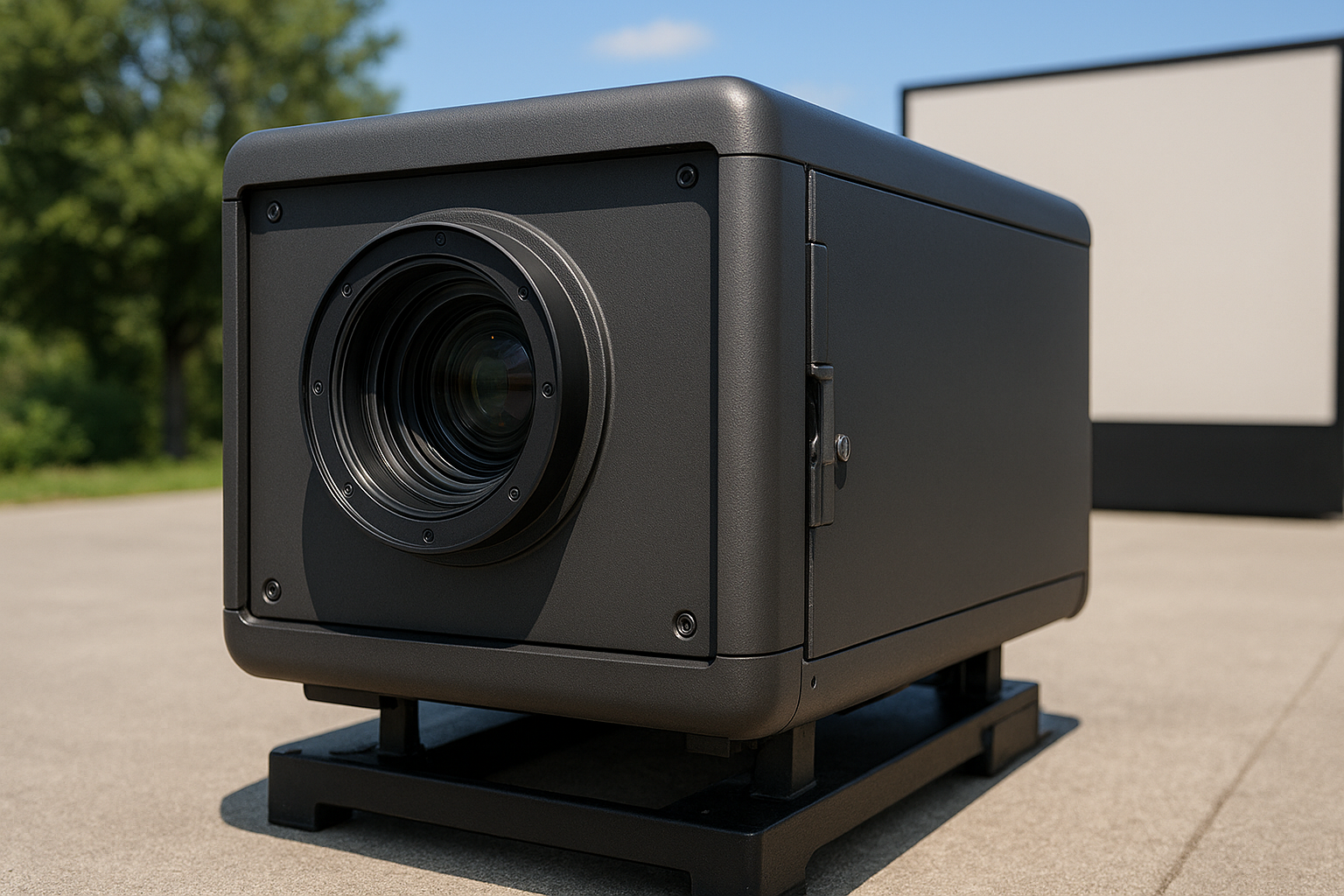
Projector Enclosure Maintenance Best Practices for Reliable AV Performance
When it comes to commercial AV installations, following Projector Enclosure Maintenance Best Practices is essential for maximizing projector longevity, reliable performance, and the protection of your investment. Whether you’re protecting an outdoor projector at a theme park, safeguarding an indoor projection mapping installation, or securing equipment in harsh environments, proper care for your projector enclosure is critical. At ProjectorEnclosure.com, we design weatherproof and climate-controlled solutions for every installation, helping you keep maintenance simple and effective.
Why Projector Enclosure Maintenance Matters
Projector enclosures provide environmental protection, thermal management, and security for high-value projection equipment. Regular maintenance ensures that:
- Projectors operate at optimal brightness and clarity
- Internal temperatures stay within manufacturer-recommended limits
- Dust, debris, and moisture stay outside the enclosure
- Fans and filtration systems work efficiently
- Electronics are shielded from tampering and weather damage
Consistent upkeep extends hardware lifespan and minimizes emergency downtime. For those investing in professional projector enclosures or projector enclosure solutions, this maintenance is straightforward and can often be handled by in-house AV teams.
Core Projector Enclosure Maintenance Best Practices
- Check and Replace Filters
Inspect air and dust filters at least monthly. Replace filters as needed or per manufacturer guidance to keep airflow unrestricted in fan-cooled projector enclosures and climate-controlled projector enclosures. - Monitor Environmental Conditions
Verify humidity and temperature inside the enclosure match spec requirements. High humidity can lead to condensation, while excessive heat shortens projector lamp and electronics life. - Inspect Weatherproof Seals
Check for cracked gaskets or damaged seals, especially on outdoor projector enclosures and weatherproof housings. Replace seals to prevent water ingress and corrosion. - Clean Viewing Windows
Dirt or residue on the optical window reduces image quality. Use non-abrasive cleaners and microfiber cloths to avoid scratches. - Test Ventilation Fans
Verify cooling fans run smoothly with no unusual noise or vibration. Keep blades free of dust buildup to maintain airflow. - Confirm Power and Data Connections
Regularly examine all cable connections for signs of damage, corrosion, or looseness. Secure cable glands to protect wiring. - Document and Schedule Maintenance
Keep a log for all checks and replacements. Scheduled preventive maintenance reduces the risk of unexpected outages.
Comparison: Outdoor vs. Indoor Projector Enclosure Maintenance
| Maintenance Task | Outdoor Enclosures | Indoor Enclosures |
|---|---|---|
| Filter Change Frequency | High (pollutants, dust) | Moderate |
| Seal Inspection | Crucial (weatherproofing) | Less frequent |
| Window Cleaning | Frequent (exposure to elements) | Occasional (indoor dirt) |
| Humidity Monitoring | Essential | Recommended |
| Pest Control | Possible (insects, rodents) | Rare |
Common Mistakes in Projector Enclosure Maintenance
- Neglecting Air Filters: Dust-choked filters cause overheating and airflow problems, stressing projector components.
- Ignoring Gasket Wear: Failing to replace weather seals can result in water leaks and expensive internal damage.
- Skipped Internal Cleanings: Accumulated debris inside the enclosure degrades ventilation and may attract pests.
- Using Harsh Cleaners: Abrasive chemicals can scratch optical windows and fog up projection images.
- Improper Cable Routing: Unprotected cabling invites moisture or rodent intrusion, causing system failures.
Future Trends in Projector Enclosure Maintenance
The future of projector enclosure maintenance is moving toward greater automation and real-time monitoring, spurred by advances in AV and IoT technology. Expect to see features such as:
- Smart sensors for temperature, humidity, and airflow monitoring with automated alerts
- Remote diagnostics for enclosure health and projector status
- Self-cleaning coatings for optical windows and enclosure surfaces
- Enhanced air filtration systems with predictive maintenance notifications
- Integrated control dashboards to track maintenance schedules and log events
ProjectorEnclosure.com stays ahead of the curve by developing next-generation solutions that simplify upkeep while maximizing protection. To learn more, visit our detailed overview on projector enclosure products.
Integrating Maintenance into Your AV Strategy
Routine care should be part of your AV standard operating procedures, whether you manage projection mapping enclosures, protective projector cages, or quiet projector enclosures in performance venues. By prioritizing Projector Enclosure Maintenance Best Practices, facilities managers and integrators reap the rewards of reduced repairs, minimized downtime, and consistently impressive projection quality.
FAQ: Projector Enclosure Maintenance
- How often should I replace air filters?
Check filters monthly. In outdoor environments, replacement may be needed as often as every two to three months. - Can I use household cleaners for the viewing window?
Avoid ammonia-based or abrasive cleaners. Use approved optical cleaners or mild soap solutions with a microfiber cloth. - Who offers support for specialized or custom enclosure maintenance?
ProjectorEnclosure.com provides expert advice and maintenance tips for custom projector enclosures designed for unique installations. - What signs indicate overheating in my enclosure?
Alerts, dimmed picture, frequent projector shutdowns, or unusual fan noise can signal insufficient cooling. - Where can I learn more about AV enclosure technology?
Explore commercial AV integration resources and check out the latest at ProjectorEnclosure.com.
Conclusion: Secure Long-Term Performance
Regular maintenance is not just best practice—it is a necessary step for protecting your AV investment. By following these Projector Enclosure Maintenance Best Practices, you ensure your projectors remain reliable, secure, and ready for any event. From fan-cooled projector enclosures to custom enclosure designs, ProjectorEnclosure.com offers trusted solutions for every challenge. To discuss your specific enclosure maintenance, contact our enclosure team or call 888-631-5880 for support tailored to your needs.
Industrial Grade Projector Enclosures For Heavy Duty Applications