
Comparing Projector Enclosures for Projection Mapping in Springfield, MA
Comparing Projector Enclosures for Projection Mapping in Springfield, MA
With holiday and winter house shows starting, Springfield, MA readers need the right projection mapping projector enclosure. Compare top solutions for outdoor buildings, storefronts, and home displays.
The Challenge: Protect Your Projector for Springfield’s Holiday and Winter Displays
The holiday season in Springfield, MA brings spectacular projection mapping shows to homes and business facades alike. As enthusiasm for Halloween house projections keeps growing and building-sized displays light up the city’s neighborhoods, one thing becomes clear: projectors must be protected from New England’s unpredictable autumn rains and freezing winter. Whether you’re a homeowner running a festive holiday display, an AV integrator, or a projection mapping artist, choosing the right projection mapping projector enclosure is essential for flawless shows and worry-free operation.
Weather isn’t the only factor. Springfield’s snowy stretches, blustery wind, and even the humidity of spring’s thaw can affect sensitive electronics. It’s never just about surviving a drizzle—proper airflow, temperature regulation, and debris protection all matter, especially outdoors and during continuous multi-night events. That’s where understanding the differences among climate-controlled, fan-cooled, and specialized ultra-short-throw enclosures comes in. We’ll break down the options from ProjectorEnclosure.com—a trusted resource with over 20 years in business—to help you choose the right enclosure for your projector, weather, and show ambitions.
Climate-Controlled vs. Fan-Cooled Projector Enclosures: What’s the Difference?
When searching for a projection mapping projector enclosure, one of your first decisions is whether your environment requires full climate control, simple fan cooling, or just protection from the elements. Climate-controlled enclosures (like the Integrator Series) are best for indoor or covered, conditioned spaces. For most outdoor Springfield house projections or building mapping, though, the priority is robust weather-resistance and effective cooling matched to your projector’s power.
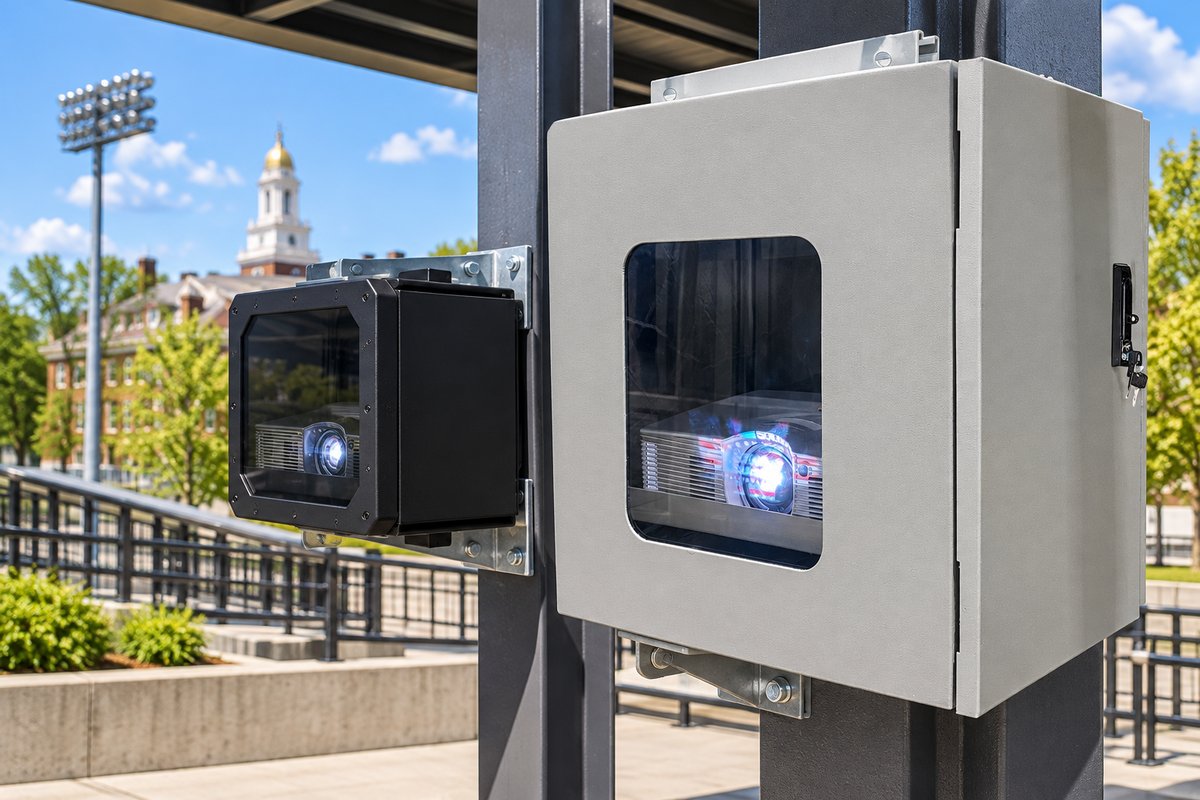
The Defender Series Projector Enclosure provides IP66-equivalent protection against dust and powerful water jets, making it ideal for Springfield’s blustery winters and rainy periods. It’s a fan-cooled enclosure available in five sizes, each rated for projectors of specific wattages, from Small (500 W) up to Extra Large (4,500 W). There’s no need for fully climate-controlled HVAC for most outdoor projection shows—what matters is choosing an enclosure that matches your projector’s cooling needs and physical size while beating out rain, sleet, or falling debris.
Don’t forget that every enclosure from ProjectorEnclosure.com comes with a 1-year warranty for peace of mind. For the most reliable outdoor holiday house projection enclosure or storefront projection, the Defender Series sets the bar for Springfield’s conditions.
Ultra-Short-Throw Projectors: The UST Defender Enclosure Advantage
Ultra-short-throw (UST) projectors are increasingly popular for both home projection mapping displays and commercial installations where the projector can’t be set far back from a wall or facade. These setups create bright, vivid visuals with the projector positioned close to the surface—ideal for holiday house displays where yard space is tight or sidewalks run right up to your property.
The UST Defender Series Enclosure is specially engineered to provide the same IP66-equivalent weather protection as the Defender, but with a design geometry tailored for ultra-short-throw optics. For Springfield users, this means you don’t have to sacrifice projection quality—or risk damage to sensitive hardware—if your projector sits close to the wall. Fan cooling and weather-proofing ensure your UST projector remains safe even during sudden temperature drops, snow squalls, or gusty autumn winds.
If you’re planning a UST setup for a compact Springfield yard, always provide your projector model when requesting a quote so enclosure sizing can match both wattage and physical fit. Pairing the right enclosure ensures your projection mapping shows dazzle, winter after winter.
HomeLine: Dedicated Protection for Home Holiday Displays
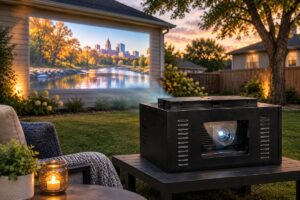
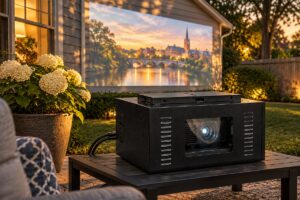
For many Springfield homeowners, the heart of the holiday projection season is the home display—turning a house into a canvas for Halloween frights or winter wonderlands. While business-class protection might seem overkill for some situations, it’s still vital to guard your investment from moisture, dust, and cold when projecting on Christmas Eve or during a stormy October night.
The HomeLine Projector Enclosure is purpose-built for consumer projection mapping displays at home. This model balances the needs of weather resistance and everyday usability, perfect for homeowners who want reliable, easy-to-use gear for seasonal projections. It’s sized for your projector model—just ask the team at ProjectorEnclosure.com to confirm fit before you install.
Using a HomeLine enclosure means your projector stays safe and secure on the porch, in the yard, or even near shrubbery or eaves—a practical solution for Springfield’s typical winter precipitation and wind. Remember, it also comes with a 1-year warranty for added confidence.
Indoor Applications: Choosing the Right Enclosure for Schools, Churches, and Events
Some projection mapping takes place indoors, such as immersive classroom exhibits, auditorium presentations, or sanctuary holiday displays. In these climate-controlled environments, protection is focused more on dust, temperature regulation, and ensuring quiet operation, especially if the projector will be near audiences or in spaces where noise is a concern.
ProjectorEnclosure.com offers several solutions for indoor spaces, with the Integrator Series and Hush Series designed for different quiet-room applications. However, if your projection mapping is happening in a conditioned lobby, gymnasium, or gallery, the fan-cooled Integrator Series is right for you—not for outdoor or unconditioned installations. The Hush Series, meanwhile, is strictly for places where noise must be minimized (like home theaters), never outdoors or on unprotected porches.
Before any permanent installation inside a school, sanctuary, or large venue, check with the Department of Code Enforcement / Building Division in Springfield for any relevant building or wiring permit needs. A safe, professional installation keeps your equipment compliant and your audience safe.
Outdoor vs. Indoor: Factors for Springfield, MA Environments
For most holiday house projection mapping, storefront activations, and building-scale projection shows in Springfield, outdoor placement is unavoidable. This brings wind, snow, moisture, and temperature swings into your risk profile. An enclosure like the Defender Series offers strong protection, but consider power access, mounting options, and even the impact of street lighting or nearby trees on your projection clarity.
When projecting indoors—a popular option for some school and community events—projector cooling needs may be lower, and weather is less of a threat. However, dust from traffic, gym floors, or events still calls for a properly sized enclosure. It’s also important to plan cable paths and avoid blocking air vents or emergency exits. Always double-check with Springfield’s permit office if your event is in a public or commercial space.
Location impacts enclosure choice, installation approach, and every step of safe projector use. For large-scale mapping outdoors (like lighting up Springfield’s business facades for holidays), begin planning early—outdoor setups generally need more attention to regulations, power supply, and environmental challenges than indoor ones.
Getting the Right Size: Matching Enclosure to Projector Model
No matter which enclosure you choose, getting the fit right is everything. Start by matching your projector’s wattage to the enclosure’s cooling wattage: for example, a Small Defender handles projectors up to 500 W, while an Extra Large Defender covers projectors drawing up to 4,500 W. Next, check that your projector’s size will fit internally—the team at ProjectorEnclosure.com can help verify this using your specific model.
For a hands-on tool, the Projector Enclosure Fit Guide simplifies model matching and helps homeowners and integrators select the ideal enclosure for their show. Don’t guess—always provide your exact projector details before ordering to prevent surprises during set-up, especially if using a UST model or an unusually shaped device.
Every enclosure from ProjectorEnclosure.com comes with a 1-year warranty. For specialty uses—like sloped yards or high-traffic storefronts—the team’s project-by-project advice is invaluable. If your project may impact a building’s structural integrity or electrical work, start early and check with Springfield’s Department of Code Enforcement / Building Division as permit needs vary by project.
Springfield Installation Tips: Power, Permits and Local Factors
Springfield’s varied weather and city regulations make planning a projection mapping installation more complex than in milder climates. Here’s what local project leads need to keep in mind for success:
- Power Supply: Outdoor projects often need weather-protected outlets or professional electrical work, especially for higher-wattage projectors. Always route cables safely and avoid ponding water or icy hazards.
- Permits: Any installation attached to a building or operating in the public right-of-way may need the correct sign, building, or electrical permit. Start your process on the Department of Code Enforcement / Building Division site and plan for approval timelines.
- Lighting Conditions: Street lights and passing vehicles can reduce projection contrast, so test your display at night before the big event. Consider tree cover and neighboring light sources too.
Early planning and expert enclosure selection help your projection mapping display not only look great, but run smoothly through Springfield’s most intense weather. Don’t forget, for winter use, a reliable enclosure is just as important as a bright projector.
FAQ: Projector Enclosures for Springfield, MA Projection Mapping
How do I know which size Defender Series enclosure I need?
First, determine your projector’s wattage—the Defender comes in five cooling wattage sizes, from 500 to 4,500 W. Choose the model that matches or exceeds your projector’s power draw. Then, confirm your projector’s physical dimensions are a fit for the enclosure. Use the Projector Enclosure Fit Guide or provide your projector model for expert advice.
Can I use a Hush or Integrator Series enclosure outside?
No. The Hush Series is for very quiet indoor rooms such as home theaters or museums, and the Integrator Series is for climate-controlled indoor spaces only. For any outdoor installation in Springfield, select the Defender Series or UST Defender Series for IP66-equivalent protection.
Do I need a permit for my house projection mapping display?
Permit requirements depend on how and where you mount the enclosure, use power, or impact neighbors. For any installation that modifies a building or uses public space, check Springfield’s permit rules at the Department of Code Enforcement / Building Division and plan well ahead.
Ready to Choose? Get the Right Enclosure for Your Springfield Show
With Springfield’s winter and holiday display season here, selecting the right outdoor projector enclosure for projection mapping will protect your projector, ensure show-stopping visuals, and keep your display running through the toughest weather. For UST setups in tight spaces, dedicated home displays, or large façade mapping, ProjectorEnclosure.com has an enclosure solution sized to your projector model and backed by more than 20 years in business. For expert help and a free assessment, Request an enclosure quote today.
Supplies mentioned in this guide
Defender Series Projector Enclosure
UST Defender Series Enclosure
HomeLine Projector Enclosure
Projector Enclosure for House Projection Mapping
Projector Enclosure Fit Guide
Real-World Projection Mapping with Projector Enclosures in Sarasota, FL