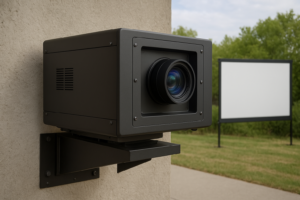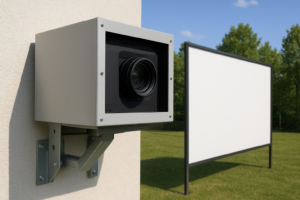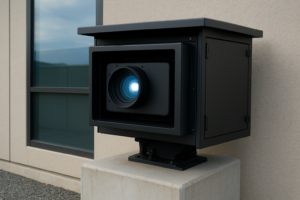

Fan-Cooled Projector Enclosures for Golf Simulators, Indoor Golf Bays, and Training Facilities
Fan-Cooled Projector Enclosures for Golf Simulators
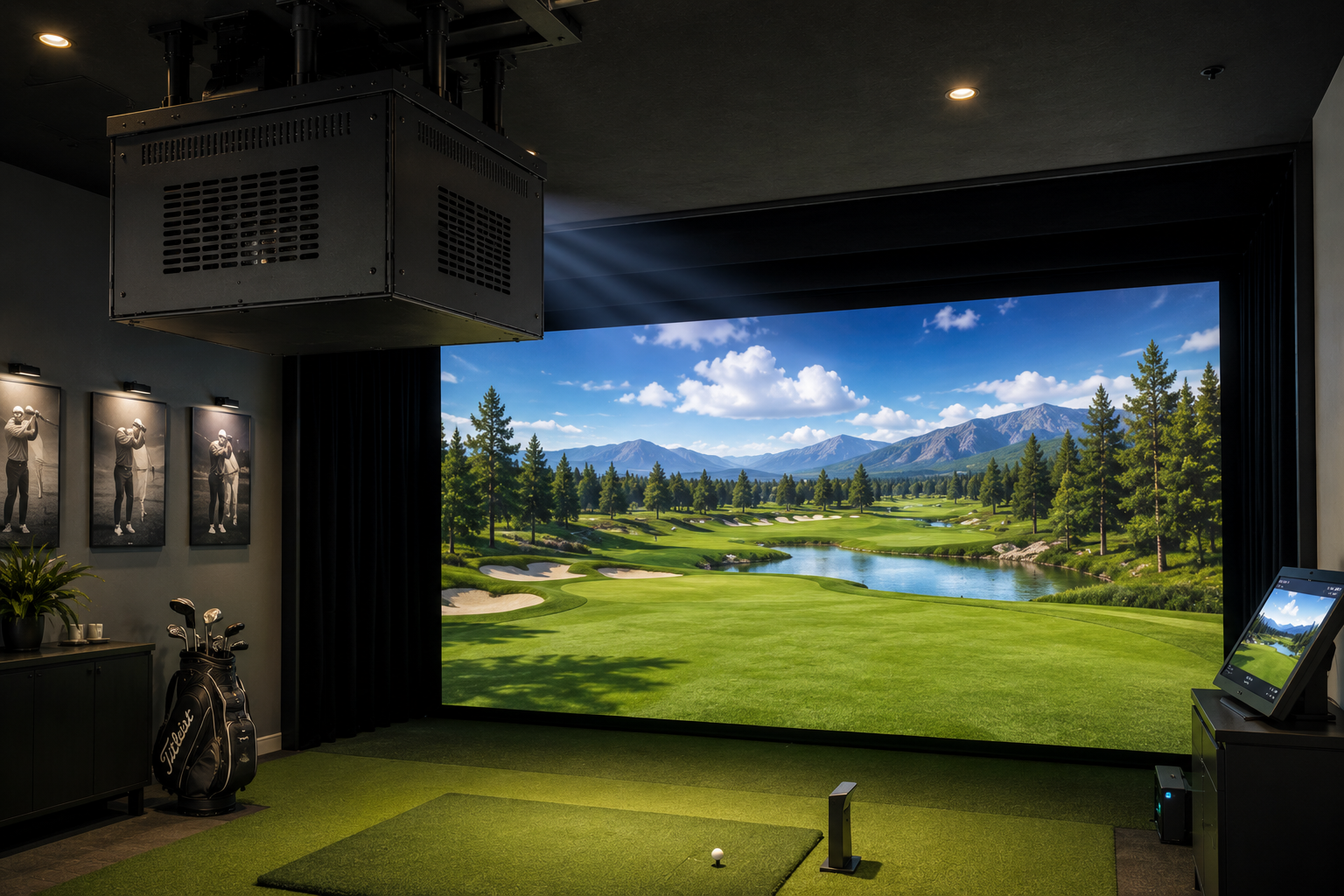
A fan-cooled projector enclosure gives golf simulators, indoor golf bays, swing studios, training centers, clubhouses, and entertainment venues a cleaner way to protect projector equipment.
Golf simulator rooms can be tough on projectors. Players swing clubs. Golf balls hit impact screens at high speed. Mats collect dust. HVAC moves debris through the room. In addition, many simulator projectors run for long sessions during lessons, league nights, parties, and private practice.
Because of that, a projector should not hang fully exposed above the hitting area.
Instead, the system needs a protected, ventilated installation. A fan-cooled projector enclosure provides built-in fan cooling; site planning should address cleanliness, accidental contact, public access, and room conditions.
As a result, the simulator room looks cleaner, operates more professionally, and gives the projector a better environment.
Why Golf Simulators Need Projector Protection
Golf simulator projectors often sit close to the action. Many setups mount the projector overhead to reduce shadows and keep the player’s body from blocking the image. BenQ explains that ceiling mounting is one of the most popular projector placement options for golf simulator setups because it helps create a more immersive experience and keeps the projector away from the hitting path.
However, overhead mounting does not remove every risk.
Golf simulator rooms still create dust, vibration, ball impact risk, club movement, and heavy use. In commercial facilities, players may rotate through bays all day. In home golf rooms, families may also use the space for movies, gaming, sports, and general entertainment.
Therefore, projector protection matters.
A fan-cooled enclosure helps create a cleaner, more stable projector installation without turning the projector into an exposed ceiling accessory.
Golf Simulators Are Becoming More Common
Golf simulators are no longer just a luxury add-on. They now support home training rooms, indoor golf clubs, teaching academies, entertainment venues, sports bars, hotels, and country clubs.
Grand View Research estimated the global golf simulator market at $2.12 billion in 2025 and projects it to reach $4.12 billion by 2033, driven in part by growing demand for indoor and home-based sports experiences.
That growth matters because more simulator rooms means more projector installations. In addition, commercial golf simulator venues introduce recurring-use projector environments that need project-specific operating review.
As a result, projector placement, airflow, and service access become part of the overall simulator build.
Why Airflow Matters in Golf Simulator Rooms
Projectors generate heat. They also rely on clean airflow to operate safely.
Epson explains that projector air filters and air vents may need cleaning to support ventilation when filters and vents are kept clear. Epson also warns that clogged filters can restrict proper ventilation and contribute to projector operating issues.
That matters in golf simulator rooms because the projector may operate for hours at a time. For example, a teaching facility may use the same projector through multiple lessons. A commercial indoor golf venue may run projectors from opening to close. A home simulator may support golf practice, movie nights, and gaming in the same space.
Therefore, the projector needs protection. However, it also needs air.
A basic cabinet or homemade box can trap heat. In contrast, a purpose-built fan-cooled enclosure provides built-in fan cooling within a defined housing.
What a Fan-Cooled Projector Enclosure Does
A fan-cooled projector enclosure gives the projector a ventilated protective housing. Its suitability depends on projector fit, airflow direction, service access, public access, and room conditions.
ProjectorEnclosure.com describes fan-cooled projector enclosures from Screen Solutions International as enclosure options for environments where airflow and service access matter. The same page lists golf simulators as one of the ideal applications for these enclosures.
In addition, ProjectorEnclosure.com explains that fan-cooled Integrator Series enclosures provide built-in fan cooling; confirm operating conditions for the selected projector and enclosure.
Because of that, these enclosures fit many simulator applications where the projector sits indoors or in a mild protected space.
Use the project review to consider:
- Dust from mats and floors
- Ceiling debris
- Accidental contact
- Public-area tampering
- Heat buildup
- Cable clutter
- Long daily runtimes
- Visual clutter
- Service access issues
- Simulator room activity
For golf simulator projects, that combination matters.
Best Golf Simulator Applications for Fan-Cooled Enclosures
A fan-cooled projector enclosure can support many golf simulator environments. However, it works best when the projector sits indoors, under cover, and outside direct impact zones.
1. Home Golf Simulator Rooms
Home golf simulators often double as entertainment rooms. A homeowner may use the projector for practice, movies, sports, gaming, and family events.
Because of that, the projector should look integrated. A fan-cooled enclosure gives the system a cleaner finished appearance while keeping the projector installation visually contained.
2. Commercial Indoor Golf Bays
Commercial simulator bays may run all day. Customers come and go. Staff clean the rooms. Equipment gets adjusted. In addition, each bay needs a consistent, well-planned equipment layout.
Therefore, a fan-cooled enclosure can provide a defined installation and a more professional AV finish.
3. Golf Instruction Studios
Teaching studios rely on repeatability. Coaches may use swing cameras, launch monitors, impact screens, and projectors throughout the day.
A defined projector installation can help keep the room organized. Plan placement and access to manage contact or adjustment by room users.
4. Country Clubs and Clubhouse Simulators
Country clubs may use simulator rooms for lessons, member events, off-season training, and private entertainment.
In these settings, appearance matters. A black or white powder-coated enclosure can help the projector blend into the room while keeping the installation polished.
5. Sports Bars and Entertainment Venues
Golf simulator lounges, sports bars, and entertainment venues often combine simulation, food, drinks, and group events. That creates more guest traffic and more equipment risk.
As a result, enclosure access should be planned for a public-facing room.
Real-World Places Where This Makes Sense
Fan-cooled projector enclosures can help simulator projects in regions where indoor golf and year-round training are especially valuable.
Chicago, Illinois
Cold winters make indoor practice more useful. Golf simulator rooms in training centers, clubs, and homes can help players practice when outdoor golf becomes difficult.
Minneapolis, Minnesota
Long winters create strong demand for indoor golf options. Fan-cooled enclosures can be considered for commercial golf bays and home simulator rooms after fit and airflow review.
Toronto, Canada
Indoor golf facilities, clubhouses, and residential simulator rooms can help extend the golf season. Therefore, projector placement and operating-condition review become important in high-use simulator spaces.
New York and New Jersey
Golf simulator lounges, private clubs, residential builds, and commercial training centers can benefit from defined projector installations in dense, high-value spaces.
Dallas, Texas
Golf simulator venues and private indoor bays can support training and entertainment during hot weather, storms, and evening events.
Scottsdale, Arizona
Scottsdale has a strong golf culture. However, high heat can push some practice and entertainment indoors. In these indoor simulator spaces, fan-cooled enclosures can provide defined projector installations.
Fan-Cooled vs. Projector Cage vs. Climate-Controlled
Different simulator spaces need different projector protection.
A fan-cooled projector enclosure is intended for indoor, covered outdoor, and mild-environment installations. Confirm fit, airflow, service access, and room conditions.
A projector cage may be evaluated when direct impact or access is the main concern. Compare each option using current product documentation and project requirements.
A climate-controlled projector enclosure works better when the projector sits outdoors, in a garage with extreme temperature swings, or in a non-conditioned space with heat, cold, or humidity concerns.
So, for a finished indoor golf room, fan-cooled often makes sense. However, for an exposed garage simulator in a harsh climate, the enclosure choice may require a closer look.
Why Golf Simulator Owners Should Avoid DIY Boxes
A DIY projector box may seem like an easy solution. However, it can create airflow problems.
Projectors need open intake and exhaust paths. If a box blocks those paths, heat can build up quickly. Then the projector may dim, shut down, trigger warnings, or suffer long-term damage.
Therefore, simulator owners should avoid random cabinets, wood boxes, and decorative covers that restrict airflow.
A purpose-built fan-cooled projector enclosure provides built-in fan cooling and service access. Mounting, cable routing, and public access should be confirmed during project review.
That difference matters during long simulator sessions.
Benefits for Golf Simulator Rooms
Cleaner Installation
First, the enclosure makes the projector look integrated. Instead of exposed hardware, the room gets a finished AV system.
Site-Condition Planning
Next, the enclosure helps reduce exposure to dust from mats, floors, ceiling areas, and room activity.
Better Airflow
Because the enclosure uses fans and ventilation, it helps move air instead of trapping heat around the projector.
Access Planning
Plan how authorized staff will access and manage equipment in commercial simulator bays and shared facilities.
Better Room Appearance
In addition, a black powder-coated Integrator-style enclosure can blend well into dark ceilings, simulator bays, and premium training rooms.
Operating-Condition Review
Finally, confirm projector ventilation and expected operating conditions for planned simulator sessions.
What to Check Before Choosing an Enclosure
Before ordering a fan-cooled projector enclosure for a golf simulator, confirm the projector model, lens length, total depth, width, height, wattage, airflow direction, throw distance, and mounting location.
Also, ask:
- Will the projector mount overhead, behind the player, or near the screen?
- Will the projector sit near the swing path?
- Could a club or ball contact the projector area?
- Does the simulator room collect dust from mats or flooring?
- Will the projector run for long sessions?
- Will customers or guests access the room?
- Does the projector need service access?
- Does the enclosure allow enough airflow?
- Does the room need impact protection, cooling, or both?
- Does the space have stable indoor temperature control?
If the projector sits indoors and needs protection plus ventilation, fan-cooled often makes sense. However, if direct ball impact is a concern, include impact requirements in project review. High temperatures, cold, or humidity require review against current documentation for the exact configuration.
Final Takeaway
A fan-cooled projector enclosure gives golf simulators, indoor golf bays, swing studios, country clubs, training centers, and entertainment venues a defined enclosure option with built-in fan cooling. Final selection should account for fitment, service access, public access, impact concerns, and project-specific operating conditions.
Most importantly, it can help make the simulator room feel more polished and professionally organized.
For help choosing the right enclosure size for a golf simulator projector, contact ProjectorEnclosure.com or Screen Solutions International at 888-631-5880.
Sources
- ProjectorEnclosure.com — Fan-Cooled Projector Enclosures
URL: https://projectorenclosure.com/fan-cooled-projector-enclosures/
Used for fan-cooled Integrator enclosure features, mild-environment positioning, golf simulator application fit, standard sizes, color options, and no external ducting. - ProjectorEnclosure.com — Home Page
URL: https://projectorenclosure.com/
Used for general fan-cooled enclosure positioning, including fan-cooled enclosure and airflow context. - Screen Solutions International — Projector Enclosures
URL: https://ssidisplays.com/projector-enclosures/
Used for SSI’s projector enclosure lineup, including Integrator fan-cooled enclosures, Defender climate-controlled enclosures, Hush enclosures, UST enclosures, and projector cages. - Screen Solutions International — Integrator Series
URL: https://ssidisplays.com/product/integrator-series-2/
Used for Integrator Series positioning, product style, and enclosure feature references. - 2025 Updated Enclosure Price Sheet — Screen Solutions International
Used for visual reference of the Integrator Series fan-cooled enclosure likeness and standard black/white powder coat note. - Epson — Projector Maintenance
URL: https://files.support.epson.com/docid/cpd4/cpd41026/source/maintenance/concepts/maint_projector_pl470_bl485wi.html
Used for projector maintenance guidance, including keeping air filters and vents clear to support ventilation. - Epson — Air Filter Cleaning FAQ
URL: https://epson.com/faq/SPT_V11H335120~faq-150403
Used for guidance that clogged air filters can prevent ventilation and cause overheating or projector damage. - BenQ — Golf Simulator Projector Placement
URL: https://www.benq.com/en-us/golf-simulator-projector/knowledge/what-is-the-best-place-to-mount-a-golf-simulator-projector.html
Used for golf simulator projector placement context, including ceiling mounting and reducing shadows. - BenQ Europe — Ceiling Mounted Golf Simulation Projector Setup
URL: https://www.benq.eu/en-eu/business/campaign/golf-simulator-projector/resources/how-to-video-quick-projector-setup.html
Used for golf simulator projector setup context, including ceiling mounting and filling the impact screen. - Grand View Research — Golf Simulator Market Size & Share Report
URL: https://www.grandviewresearch.com/industry-analysis/golf-simulator-market-report
Used for golf simulator market growth context and demand for indoor/home-based sports experiences. - National Golf Foundation — The Golf Simulator Opportunity
URL: https://www.ngf.org/wp-content/uploads/2025/04/2025-NGF-White-Paper-The-Golf-Simulator-Opportunity.pdf
Used for broader indoor golf and simulator facility trend context.