
Outdoor Projector Enclosures in Little Rock: Weather Protection and Practical Planning for Projection Mapping
Outdoor Projector Enclosures in Little Rock: Weather Protection and Practical Planning for Projection Mapping
Planning a projection mapping show in Little Rock? Learn how local weather—from heat and humidity to rain and dust—impacts your outdoor projector, and how to choose, power, mount, and permit the right enclosure to keep your display safe outdoors.
Protecting Projectors Through Little Rock’s Holiday Display Season
Holiday light displays and projection mapping shows are a highlight of the winter season in Little Rock, drawing crowds to dazzling house facades and building projections. With winter also comes unpredictable rain, chilly nights, and occasional storms. These conditions make it vital to shield your projector from the elements throughout the busy display season. Whether you’re a homeowner planning a spooky Halloween show or a church projecting onto an outdoor wall for the holidays, understanding how local climate challenges impact your setup is the first step to a successful show.
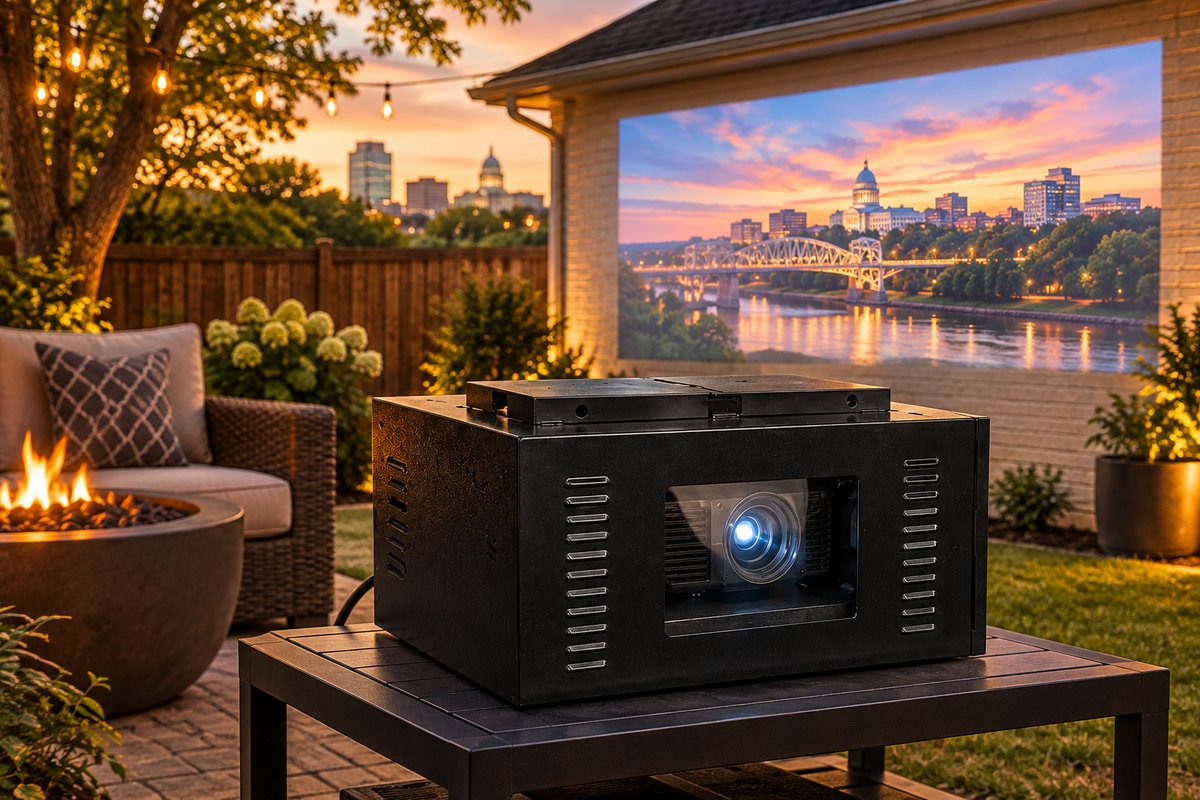
Outdoor projection mapping exposes sensitive equipment to far more than just rain. Humidity, wind-driven dust, and temperature swings all threaten a projector left unprotected. Choosing the right projection mapping projector enclosure ensures that your investment remains safe—and your imagery stays bright—all season long.
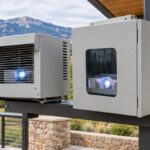
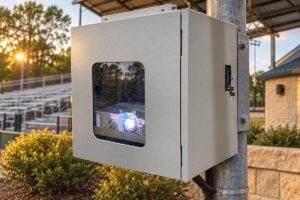
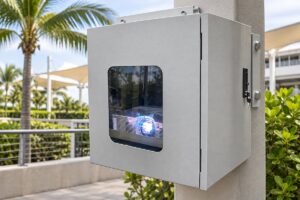
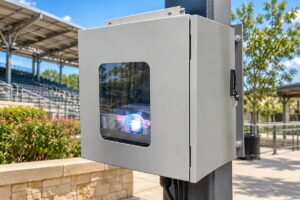
ProjectorEnclosure.com offers all-weather solutions like the Defender Series Projector Enclosure and the UST Defender Series Enclosure, both designed for these exact challenges. These enclosures provide IP66-equivalent protection against dust, downpours, and powerful water jets, keeping Little Rock’s unpredictable winter weather at bay.
Weather Challenges: Heat, Humidity, Rain, Dust, and Salt Air
Little Rock’s climate brings high humidity year-round, frequent rainfall in fall and early spring, and late-summer heat waves that push equipment to its limits. During winter and spring, overnight lows can dip below freezing even while rainy days stay mild. For outdoor projectors, the main risks are water intrusion, moisture buildup, dust infiltration, and temperature stress. Local forecasts from the National Weather Service’s Little Rock area forecast are an invaluable resource for show planning and equipment monitoring.
Exposure to humid, moist conditions can cause short-circuits, condensation inside lenses, and corrosion of sensitive electronics. Little Rock does not face ocean spray, but dust from landscaping, pollen seasons, and construction activity is a regular issue. To combat these threats, the Defender Series and UST Defender Series are engineered to deliver IP66-equivalent protection, preventing dust, dirt, and high-pressure water jets from reaching your projector while ensuring critical airflow and cooling.
If you’re running a home holiday display, the HomeLine Projector Enclosure is tailored for consumer projection mapping and is a practical option for non-commercial setups. Every enclosure carries a 1-year warranty for added confidence through all four seasons.
Power Planning: Ensuring Safe and Reliable Electricity Outdoors
Supplying reliable, weather-safe power is crucial when setting up any outdoor projector enclosure for projection mapping. Little Rock homeowners and event producers must account for rain, extreme humidity, and ground moisture—especially during winter’s wet spells. Use only outdoor-rated extension cords and outlets with ground fault circuit interrupters (GFCI) whenever temporary or permanent setups are installed. Confirm your planned location can provide enough amperage for both the projector and cooling fans in your enclosure.
Before your event, speak with your electric utility to plan a safe installation, especially if special wiring or outlets are needed. Entergy Arkansas – Contact us can advise on local safety standards, power needs, and outage protocols to keep your system running through both minor and major weather events.
When using the Defender Series, match your enclosure size to the projector’s wattage. The series comes in Small (500 W), Medium (1,500 W), Large (2,500 W), Large Plus (3,500 W), and Extra Large (4,500 W) sizes. Start by verifying your projector’s power requirements, then check physical fit. If you’re unsure, provide your projector model to ProjectorEnclosure.com’s team for guidance. For houses with close-to-wall short-throw setups, see the specialized UST Defender Series Enclosure.
Mounting and Placement Tips for Secure Projection Mapping
Proper mounting is key to both projecting great visuals and preventing equipment loss from wind or tampering. In Little Rock’s variable weather, a secure mount prevents your projector enclosure from shifting or toppling during storms, gusts, or even neighborhood wildlife activity. Always use heavy-duty anchors or brackets that match your building’s wall type (brick, siding, or stucco), and confirm stability with every installation.
For outdoor house projection mapping, the Projector Enclosure for House Projection Mapping page offers practical options to help homeowners plan their holiday displays. Avoid mounting enclosures where rainwater, gutters, or roof ice can run off onto the enclosure directly. Consider visibility for cables, and route wiring through waterproof grommets or conduit to protect power and signal lines.
Always check for interference from shrubs, fences, or overhanging trees, especially during seasons of heavy pollen or leaf fall. If you’re not confident installing your mount or running cables, work with a licensed, local professional to ensure safety. For guidance on matching your projector, visit the Projector Enclosure Fit Guide.
Ventilation and Cooling in All Rock City Seasons
Little Rock’s summers can be hot and muggy, but even in December, daytime highs can soar while nights plunge. Adequate ventilation and cooling in an enclosure are essential to prevent overheating or moisture buildup, which can reduce projector lifespan and impact performance. Each Defender Series enclosure is sized by cooling wattage, matching the heat output of the projector inside it, then ensuring a secure fit.
Be sure that intake and exhaust vents remain clear of obstruction from leaves, spiders, and debris. Never cover enclosures with tarps or close off ventilation, even in wet weather—the enclosure design handles water, but blockages cause dangerous heat buildup. The Defender and UST Defender Series are engineered for all-weather use, balancing airflow with protection against water jets and dust.
During rain, Little Rock’s high humidity can push interior moisture levels up. Weather-tight design keeps outside water at bay, but do allow regular checks of filters and vents. If your system is running at the high end of its thermal capacity, consider moving to a larger Defender size. As always, ask ProjectorEnclosure.com about your specific projector to ensure perfect sizing.
Understanding Permitting and Local Codes
Outdoor projection setups, especially for building facades, schools, or larger-scale holiday shows, may require permits or must comply with zoning and safety codes. City regulations often govern electrical connections, temporary structures, and exterior fixtures. Avoid surprises by checking early with the Planning and Development – City of Little Rock office about rules for your installation type, whether residential or commercial.
Permit needs vary by project scale. Permanent hardwired installations usually trigger electrical code checks, while homeowners using existing outlets for holiday shows may avoid paperwork. Even short-term displays must not block sidewalks or public right-of-way, and certain neighborhoods or business districts may have appearance standards or hours of operation limitations.
Plan ahead by discussing your plans with the city—especially for events at churches, schools, or businesses. Allow extra time for permit review during the busy holiday season. Permits ensure your display is as safe for neighbors as it is eye-catching. For any questions about Little Rock-specific requirements, use the city resource linked above for the latest.
Choosing the Right Projector Enclosure for Your Little Rock Show
With more than 20 years in business, ProjectorEnclosure.com offers a selection of enclosures for every need and type of projection mapping—even for projectors not yet listed on fit charts. The Defender Series is the standard for all-weather protection, with its IP66-equivalent design shielding against moisture, dust, and powerful water jets. For close-to-wall holiday projections using ultra-short throw projectors, the UST Defender Series Enclosure provides the same level of weatherproofing in a specialized form factor.
Home users looking for a simpler, practical solution for seasonal house mapping displays can select from the HomeLine Projector Enclosure line. Each model is sized to fit specific projectors—start by sending your projector model details for expert sizing. All enclosures include a 1-year warranty for worry-free outdoor operation.
Not sure which enclosure fits your setup, or have unique placement or wattage needs? The Projector Enclosure Fit Guide lets you match both cooling wattage and enclosure size, but if in doubt, it’s best to consult the team at ProjectorEnclosure.com for a right-sized recommendation.
Little Rock Outdoor Projector Enclosure FAQ
What weather conditions should I plan for with an outdoor projector in Little Rock?
Little Rock sees humidity, rainfall, and frequent dust or pollen, especially in spring and autumn. Winters can feature heavy rain and large temperature swings. Always choose an enclosure designed for IP66-equivalent protection to safeguard your projector from rain, dust, and windblown debris throughout the year. Monitor the local weather forecast for up-to-date alerts during your display dates.
How do I make sure my projector and enclosure don’t overheat or get damaged?
Proper sizing is crucial. Select a Defender Series enclosure that matches or exceeds your projector’s wattage, then verify physical fit. Don’t block ventilation or mount where vents could clog. For advice, use the Projector Enclosure Fit Guide or contact ProjectorEnclosure.com with your projector model.
Do I need permits or approval to mount an outdoor projector at my home or business?
Permit needs depend on your project’s size and location. Permanent or commercial installations may need electrical or zoning approval from the City of Little Rock. Always check before starting work—especially for building-mounted displays, new wiring, or public events.
More Resources for Planning Your Little Rock Projection Display
- Entergy Arkansas – Contact us: For safe power solutions and service questions.
- Planning and Development – City of Little Rock: Permitting, zoning, and compliance questions.
- National Weather Service – Little Rock area forecast: Monitor local weather risks for each show date.
Take the Next Step: Get the Right Enclosure for Your Display
Whether you’re projecting holiday cheer, casting a thrilling Halloween scene, or lighting up a business facade, choosing the right enclosure is essential to protecting your projector from Little Rock’s challenging weather. Every model at ProjectorEnclosure.com is designed for dependable outdoor performance, matched to your projector’s requirements and your display ambitions. Ready to protect your investment and keep your shows bright, safe, and unforgettable?
Supplies mentioned in this guide
Defender Series Projector Enclosure
UST Defender Series Enclosure
HomeLine Projector Enclosure
Projector Enclosure for House Projection Mapping
Projector Enclosure Fit Guide
Practical Guide: Outdoor Projector Enclosures for Salt Lake City Projection Mapping