

Humidity
Moist air around the clock
The air above and around a pool stays damp. Moist air drawn through a projector's cooling path settles on circuit boards, optics and connectors, and over time that leads to fogged lenses and electrical faults.
A pool deck is one of the hardest places to keep a projector running. Humidity, splash, heat and pool-chemical air all work against the electronics inside.
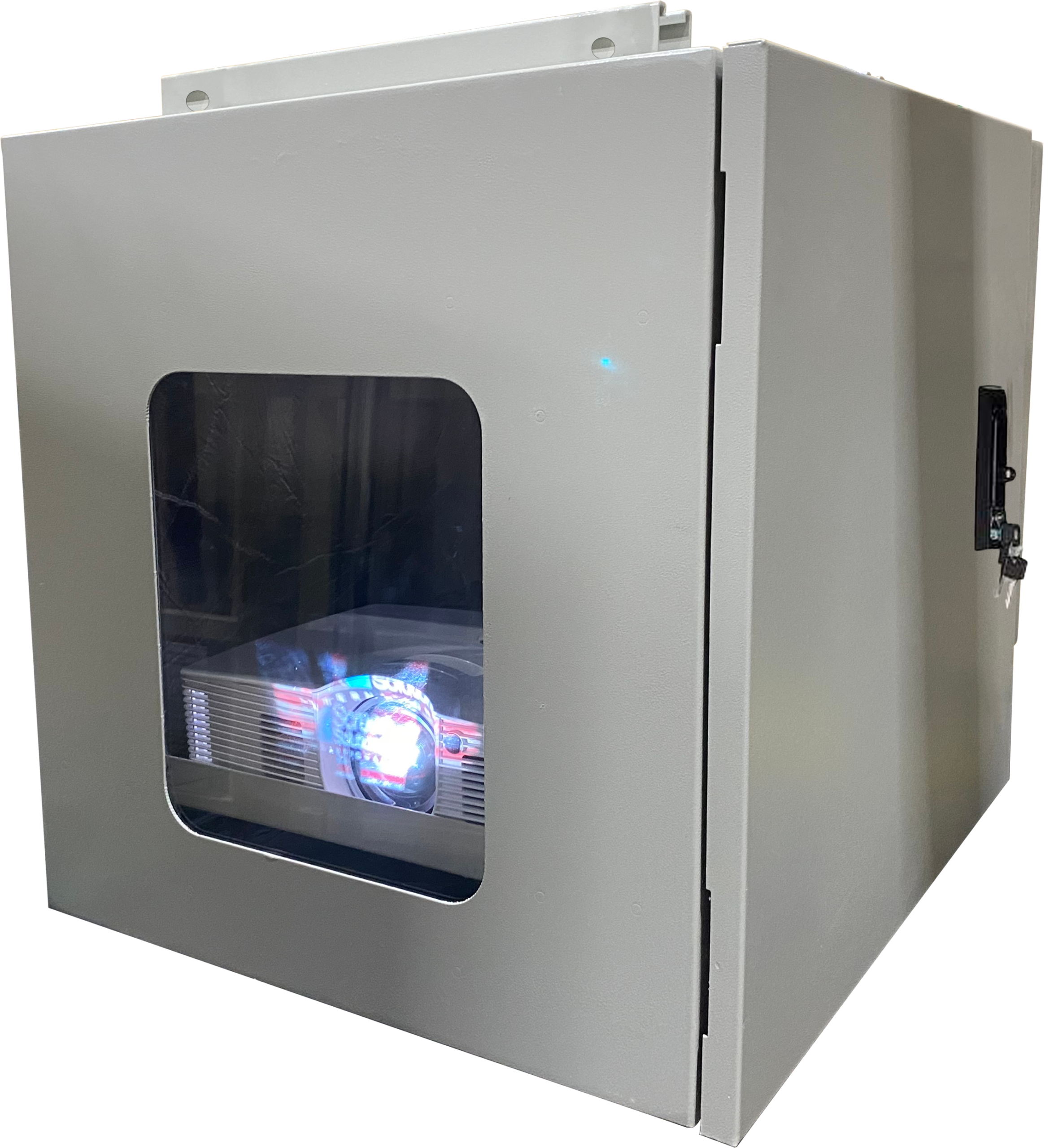
A swimming pool projector enclosure keeps the projector in its own protected space, so a backyard movie night, a resort pool screen or a projection show over the water does not end with a damaged projector. For poolside installations, ProjectorEnclosure.com recommends the Defender Series: a climate-controlled, all-weather enclosure that is IP66-equivalent.
Projectors are built for clean, dry rooms with steady temperatures. A pool area is the opposite. Water evaporates off the surface all day, the deck and surrounding walls soak up sun, and swimmers send water well past the edge of the pool. Each of these affects a projector in a different way, and together they shorten its working life.
The air above and around a pool stays damp. Moist air drawn through a projector's cooling path settles on circuit boards, optics and connectors, and over time that leads to fogged lenses and electrical faults.
Cannonballs, wind-blown spray, sprinklers, deck washing and rain all put water on equipment near the pool. An open projector mount, or a basic cover with gaps, leaves the projector exposed.
Projectors give off a lot of heat of their own. Add direct sun and a hot deck or wall, and the unit can overheat, dim or shut down in the middle of a show.
Air near a treated pool carries moisture and chemical vapors that are hard on exposed metal and electronics. Contacts, fans and fasteners left in that air tend to corrode faster than the same parts indoors.
When warm, humid evening air meets a projector that has cooled down, water can condense inside it. Repeat that night after night and it adds up.
Outdoor dust, pollen, leaves and insects get pulled toward a warm, lit projector and clog its vents and filters.
The Defender Series is ProjectorEnclosure.com's climate-controlled, all-weather enclosure for outdoor installations. It is the recommended choice for a projector that will live near a swimming pool.
If the pool layout calls for an ultra-short-throw projector placed close to the screen or wall, the UST Defender brings the same IP66-equivalent, all-weather approach to UST models.

Defender sizing starts with power, then physical fit. The enclosure has to remove the heat your projector makes; only after that do you check that the projector fits inside.
| Defender size | Cooling wattage |
|---|---|
| Small | 500 W |
| Medium | 1,500 W |
| Large | 2,500 W |
| Large Plus | 3,500 W |
| Extra Large | 4,500 W |
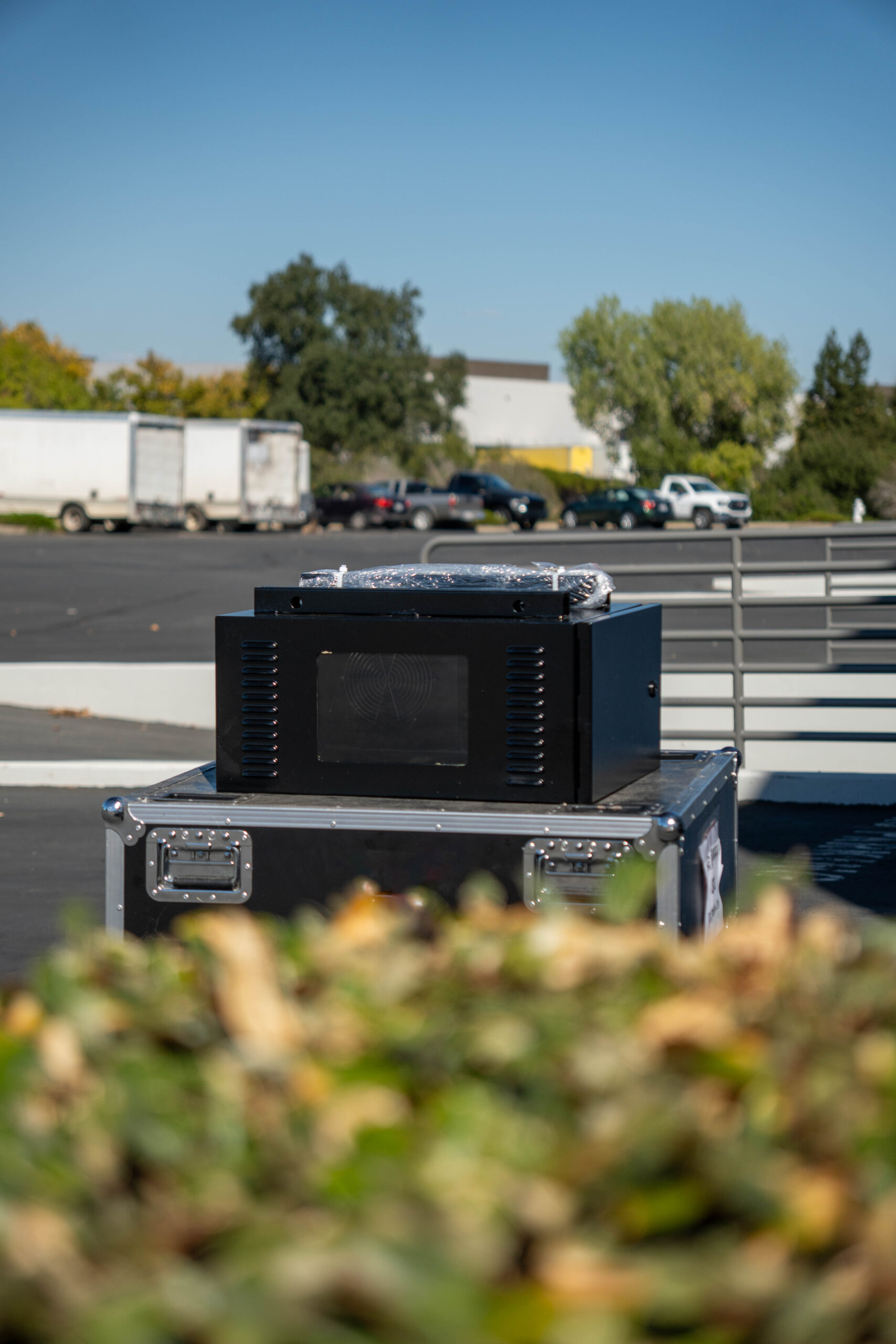
Not every backyard pool setup is a permanent, year-round installation. The HomeLine Series is ProjectorEnclosure.com's residential line, built for homeowners and consumer projection mapping.
HomeLine can suit milder residential use: a movie night by the pool on a pleasant evening, seasonal holiday projection mapping on the house, or a setup that goes up for an event and comes down afterwards.
If the projector will stay by the pool through hot summers, humid nights and wet seasons, or sit close to the water where it can be splashed, choose the Defender Series.
Mount the enclosure where people, umbrellas and spray will not cross the beam. A higher mount on a wall, pole or structure usually works better than a table near the edge.
Even with an IP66-equivalent enclosure, it makes sense to keep the unit back from the pool edge so it is easier to reach and service.
Pool areas have their own electrical rules. Use a licensed electrician and follow local code for any outlet or circuit near water.
Route power and signal cables in conduit or protected runs so they are not lying on wet decking or across walkways.
An enclosure that sits in full afternoon sun has more heat to remove. Shade helps, and so does sizing with heat in mind.
Leave space to open the enclosure for filter checks, lens cleaning and projector service without taking it off its mount.
The Defender Series. It is the climate-controlled, all-weather enclosure from ProjectorEnclosure.com, it is IP66-equivalent, and it is the recommended choice for projectors that live near a pool.
The Defender Series is IP66-equivalent, so it is built to keep out water from rain, spray and splash. It is still good practice to mount it back from the pool edge where it is easier to reach.
Air around a treated pool carries moisture and chemical vapors that are hard on exposed metal and electronics. Keeping the projector inside a closed, climate-controlled enclosure keeps it out of that air.
Power first, then physical fit. Defender sizes by cooling wattage: Small 500 W, Medium 1,500 W, Large 2,500 W, Large Plus 3,500 W and Extra Large 4,500 W. Send us your projector model and we will confirm the size.
HomeLine is the residential line and can suit milder residential use, such as occasional movie nights or seasonal projection mapping. For a projector that stays by the pool year-round, choose Defender.
Every enclosure has a 1-year warranty.
ProjectorEnclosure.com is a Screen Solutions International brand with 20+ years in business. Send us your projector model and pool layout and we will recommend the right enclosure and size.
Email ssisales@ssidisplays.com · 269 Technology Way, Ste 1, Rocklin, CA 95765