
Fan-Cooled Projector Enclosure for Interactive Projection Mapping
Fan-Cooled Projector Enclosures for Interactive Projection Mapping
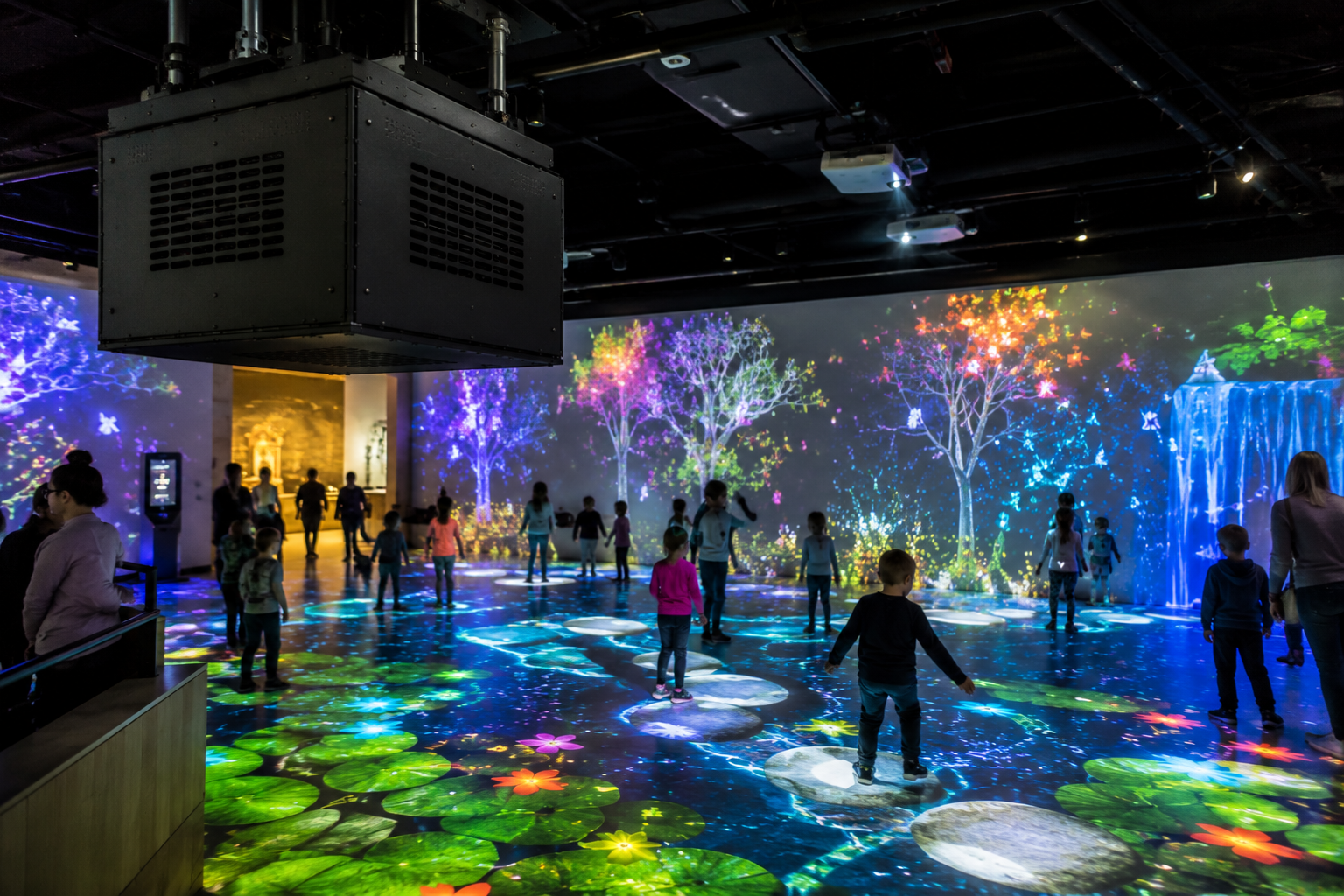
A fan-cooled projector enclosure provides built-in fan cooling and a defined housing for interactive projection mapping installations. Interactive projection mapping can turn walls, floors, tables, sculptures, product displays, museum exhibits, retail spaces, and event environments into responsive digital surfaces.
However, interactive systems create extra risk.
People move near the projection area. Visitors may touch surfaces. Staff may reset the space. Cameras, sensors, tracking systems, media servers, and projectors all need careful placement. In addition, projectors may run for long hours during exhibits, events, classes, retail campaigns, or attraction operations.
Because of that, the projector needs more than an open mount.
A fan-cooled projector enclosure supports a defined installation where teams can plan for projector fit, airflow, service access, accidental contact, cable routing, and public-facing activity. This can keep hardware visually contained so projected content remains the main focus.
Why Interactive Projection Mapping Needs a Fan-Cooled Projector Enclosure
Interactive projection mapping depends on both alignment and response. Instead of simply projecting visuals onto a surface, the system may react to movement, touch, sound, sensors, cameras, or user input.
That may include:
- interactive museum walls
- responsive projection floors
- retail product experiences
- motion-tracked event stages
- immersive education rooms
- projection-mapped tables
- branded photo moments
- children’s discovery exhibits
- interactive lobby installations
- gesture-controlled digital environments
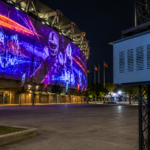
ProjectorCentral explains that projection mapping can transform objects, venues, stadiums, concert halls, and building exteriors with projected visuals. Meanwhile, HeavyM highlights interactive projection mapping projects where visuals respond to users and real-world input.
URL: https://www.projectorcentral.com/what-is-projection-mapping-2.htm
URL: https://www.heavym.net/5-interactive-projection-mapping-projects/
Because interactive mapping often depends on careful calibration, projector movement can break the effect. If the projector shifts, the visuals may no longer line up, and if the enclosure blocks airflow, the projector can overheat. If the hardware sits exposed, visitors may touch or bump it.
Therefore, a fan-cooled projector enclosure provides a defined installation for the projector and its alignment requirements.
Why Airflow Matters in Interactive Projection Mapping
Projectors generate heat. They also need clear ventilation.
Epson explains that projector air filters and vents need cleaning to support ventilation when filters and vents are kept clear. Epson also warns users not to block projector openings because those openings provide ventilation and support ventilation.
URL: https://files.support.epson.com/docid/cpd6/cpd65465/EN/Maintenance/Concepts/projector_maintenance.html
URL: https://files.support.epson.com/docid/cpd5/cpd50650/source/notices/reference/important_safety_instructions.html
This matters even more in interactive projection mapping because these systems often run for long periods. A children’s museum floor may run all day. A retail activation may run during full store hours. A branded event installation may run through rehearsal, showtime, and post-event networking.
So, the projector needs protection. However, it also needs air.
A sealed decorative box can trap heat. Meanwhile, a purpose-built fan-cooled projector enclosure provides built-in fan cooling; site planning should address cleanliness, contact, and public access.
That difference matters when the projected experience has to respond correctly every time.
What a Fan-Cooled Projector Enclosure Does for Interactive Mapping
A fan-cooled projector enclosure gives the projector a ventilated protective housing. Its suitability depends on projector fit, airflow direction, service access, cable routing, public access, and site conditions.
ProjectorEnclosure.com positions fan-cooled projector enclosures as useful for projection mapping, museums, retail displays, houses of worship, golf simulators, and other environments where airflow, service access, and installation planning matter.
URL: https://projectorenclosure.com/fan-cooled-projector-enclosures/
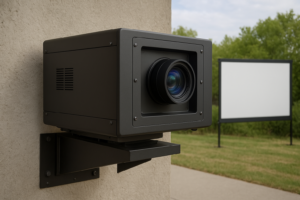
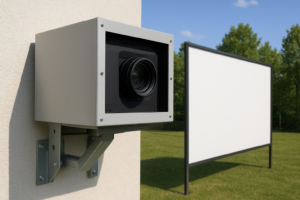
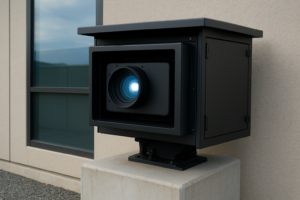
In addition, Screen Solutions International lists the Integrator Series as its fan-cooled enclosure line. The uploaded SSI enclosure price sheet shows the Integrator Series as a black rectangular enclosure with a front projection window, ventilation slots, and standard black or white powder coat options.
For interactive projection mapping, that design provides a visually contained projector installation while keeping the experience focused on the user.
Use the project review to consider:
- dust
- heat buildup
- visitor contact
- staff contact
- public tampering
- cable clutter
- ceiling debris
- sensor-area activity
- long exhibit runtimes
- accidental projector movement
For interactive spaces, that planning supports a more organized and professional installation.
Best Interactive Projection Mapping Applications
A fan-cooled projector enclosure can support many interactive projection mapping projects. However, it is intended for indoor, covered outdoor, and mild-environment installations, subject to projector and site review.
1. Interactive Museum Exhibits
Museums can use interactive projection mapping to create responsive walls, animated floors, touch-free learning stations, and immersive storytelling rooms.
For example, visitors might step on projected water that ripples under their feet. They might wave their hands to reveal historical layers on a wall. They might move objects across a table to trigger mapped content.
Because visitors often stand close to these systems, placement and public access matter. A fan-cooled projector enclosure can provide a visually contained hardware installation.
2. Retail Product Experiences
Retailers can use interactive projection mapping to let shoppers explore product features, color options, lifestyle scenes, or animated brand stories.
For example, a shoe display could react when someone picks up a product. A cosmetics counter could project motion graphics around selected items. A car showroom could map interactive specs around a vehicle.
Since these systems run in customer-facing spaces, a fan-cooled enclosure provides built-in fan cooling and a defined equipment location.
3. Event and Brand Activations
Interactive projection mapping can make event guests part of the experience. A mapped wall might react to movement. A floor projection might animate around footsteps. A branded photo moment might respond to gestures or audience participation.
However, event environments move quickly. Guests gather nearby. Crews adjust lighting and staging. Therefore, projector placement and access planning become important.
A fan-cooled enclosure provides a defined projector installation during setup and operation.
4. Immersive Education Rooms
Schools, universities, science centers, and training facilities can use interactive projection mapping for active learning.
Students can explore maps, scientific processes, anatomy, astronomy, engineering concepts, and historical environments through projected interaction.
Because these rooms may see daily use, a fan-cooled projector enclosure provides a defined installation; site review should address cleanliness, contact, and public access.
5. Interactive Floors and Play Spaces
Interactive floors are popular in children’s museums, family entertainment centers, pediatric spaces, hospitality areas, and attractions.
These systems often place the projector overhead. Because people actively move through the projected area, overhead hardware needs protection and clean mounting.
A fan-cooled enclosure can help shield the projector while supporting airflow during long operating hours.
Interactive Projection Mapping Creates Memorable Experiences
Interactive projection mapping works because it makes digital visuals feel physical. Instead of watching content passively, visitors can trigger it, move through it, and react with it.
That makes interactive projection mapping useful for:
- museums
- retail stores
- schools
- attractions
- events
- hotels
- corporate lobbies
- healthcare waiting areas
- entertainment centers
- branded experience rooms
Interactive & Immersive HQ explains that projection mapping can transform surfaces with digital content, while AV Alliance discusses immersive projection techniques such as 360-degree projection mapping and real-time tracking.
URL: https://interactiveimmersive.io/blog/outputs/what-is-projection-mapping/
URL: https://avalliance.com/immersive-projection-techniques-360-projection-mapping-and-real-time-tracking/
However, the experience depends on alignment, calibration, ventilation, and an installation appropriate to the site.
That is why the enclosure matters.
Fan-Cooled vs. Climate-Controlled for Interactive Projection Mapping
Different interactive environments need different enclosure types.
A fan-cooled projector enclosure is intended for indoor, covered outdoor, and mild-environment installations. Confirm projector fit, airflow direction, service access, and site conditions.
A climate-controlled projector enclosure works better when the projector faces direct weather, high heat, freezing temperatures, rain, humidity, salt air, or long-term outdoor exposure.
So, for an indoor museum exhibit, retail activation, event room, classroom, or interactive lobby, fan-cooled often makes sense. However, for an outdoor interactive façade, open-air attraction, resort installation, or exposed public plaza, climate-controlled protection usually offers the safer path.
Real-World Places Where This Makes Sense
Fan-cooled projector enclosures can support interactive projection mapping in markets where immersive technology, retail, museums, and events are growing.
Orlando, Florida
Orlando has attractions, hotels, museums, restaurants, event venues, and entertainment spaces. Fan-cooled enclosures can work indoors and in protected environments. However, humidity should guide the final enclosure choice for semi-outdoor installs.
Los Angeles, California
Los Angeles is a strong market for brand activations, entertainment spaces, studios, museums, and immersive retail. Fan-cooled enclosures can be considered for indoor interactive mapping systems after fit and airflow review.
New York City, New York
New York has flagship retail, museums, galleries, event venues, and corporate lobbies. Interactive projection mapping can help spaces stand out, while fan-cooled enclosures can provide a defined projector installation in customer-facing areas.
Las Vegas, Nevada
Las Vegas venues use immersive technology for hospitality, events, attractions, and branded experiences. Fan-cooled enclosures are intended for indoor, covered outdoor, and mild-environment installations; exposed outdoor sites require project-specific environmental review.
Chicago, Illinois
Chicago museums, schools, event venues, and corporate spaces can use interactive projection mapping for education and engagement. Fan-cooled enclosures may fit indoor installations; exposed winter conditions require review against current product documentation.
London, United Kingdom
London museums, galleries, retail spaces, and heritage attractions can use interactive projection mapping to create modern experiences inside historic or premium environments.
Why Interactive Installations Should Avoid DIY Projector Boxes
A DIY projector box may seem like a quick way to hide hardware. However, it can create airflow, service, calibration, and alignment problems.
First, a sealed box can block intake and exhaust vents. Next, it can trap heat during long operating hours. Also, it can make projector adjustments harder when the interactive system needs recalibration.
Interactive projection mapping already depends on precision. Therefore, the enclosure should support the installation instead of creating new problems.
A purpose-built fan-cooled projector enclosure provides built-in fan cooling and service access. Mounting, cable routing, alignment, and public access should be confirmed during project review.
That difference matters when users expect the system to respond instantly.
Benefits for Interactive Projection Mapping Teams
Installation Planning
First, review site cleanliness, contact, public access, and activity around the projector installation.
Better Airflow
Next, fan-cooled ventilation helps move air instead of trapping heat around the projector.
Cleaner Experience Design
Also, the enclosure makes the AV system look integrated rather than temporary.
Better Mapping Stability
A defined housing can help teams plan around accidental movement, but alignment should be checked as part of installation and service.
Easier Service Access
In addition, a purpose-built enclosure gives technicians a clearer path for inspection, cleaning, and calibration.
Stronger User Experience
Finally, the projected interaction stays at the center of the experience while the hardware stays secondary.
What to Check Before Choosing a Fan-Cooled Projector Enclosure
Before ordering a fan-cooled projector enclosure for interactive projection mapping, confirm the projector model, lens model, total projector depth, width, height, wattage, airflow direction, throw distance, mounting location, sensor placement, and service access.
Also, ask:
- Will the projector sit indoors, outdoors, or under cover?
- Do people walk near the projector?
- Does the project need fan-cooled or climate-controlled protection?
- Will users touch or move through the projection area?
- Will cameras, sensors, or tracking systems need clear sightlines?
- Does the room use haze, humidity, dust, or water effects?
- Will the projector run all day?
- Will the mapping require precise calibration?
- Does the enclosure allow enough airflow?
- Will technicians need quick service access?
If the projector sits indoors or in a covered mild space, fan-cooled often makes sense. However, if the projector faces direct weather, high humidity, high temperatures, or outdoor exposure, review current documentation for the exact climate-controlled configuration.
Final Takeaway
A fan-cooled projector enclosure can be considered for interactive projection mapping in indoor, covered outdoor, or mild-environment locations. Confirm projector fit, airflow direction, service access, alignment, public access, and site conditions before selection.
Most importantly, it helps keep the audience focused on the interactive experience instead of the projector hardware.
For help choosing the right enclosure size for an interactive projection mapping projector, contact ProjectorEnclosure.com or Screen Solutions International at 888-631-5880.
Sources
- ProjectorEnclosure.com — Fan-Cooled Projector Enclosures
URL: https://projectorenclosure.com/fan-cooled-projector-enclosures/
Used for fan-cooled enclosure positioning, projection mapping context, airflow, and service access. - Screen Solutions International — Projector Enclosures
URL: https://ssidisplays.com/projector-enclosures/
Used for SSI’s projector enclosure lineup, including Integrator fan-cooled enclosures and Defender climate-controlled enclosures. - ProjectorEnclosure.com — Fan-Cooled vs. Climate-Controlled
URL: https://projectorenclosure.com/fan-cooled-vs-climate-controlled/
Used for fan-cooled vs. climate-controlled enclosure selection guidance. - Screen Solutions International — Integrator Series
URL: https://ssidisplays.com/product/integrator-series-2/
Used for Integrator Series product positioning and enclosure style reference. - ProjectorEnclosure.com — Home Page
URL: https://projectorenclosure.com/
Used for general fan-cooled enclosure positioning and airflow context. - 2025 Updated Enclosure Price Sheet — Screen Solutions International
Uploaded PDF in this chat.
Used for visual reference of the Integrator Series fan-cooled enclosure likeness and standard black/white powder coat note. - ProjectorCentral — What Is Projection Mapping?
URL: https://www.projectorcentral.com/what-is-projection-mapping-2.htm
Used for projection mapping context across objects, venues, stadiums, concert halls, and building exteriors. - HeavyM — 5 Interactive Projection Mapping Projects
URL: https://www.heavym.net/5-interactive-projection-mapping-projects/
Used for interactive projection mapping examples and responsive projection context. - Interactive & Immersive HQ — What Is Projection Mapping?
URL: https://interactiveimmersive.io/blog/outputs/what-is-projection-mapping/
Used for projection mapping context in immersive environments. - AV Alliance — Immersive Projection Techniques
URL: https://avalliance.com/immersive-projection-techniques-360-projection-mapping-and-real-time-tracking/
Used for immersive projection context, including 360-degree projection mapping and real-time tracking. - Epson — Projector Maintenance
URL: https://files.support.epson.com/docid/cpd6/cpd65465/EN/Maintenance/Concepts/projector_maintenance.html
Used for projector maintenance guidance, including keeping filters and vents clear to support ventilation. - Epson — Important Safety Instructions
URL: https://files.support.epson.com/docid/cpd5/cpd50650/source/notices/reference/important_safety_instructions.html
Used for ventilation guidance and warnings about blocked projector openings.
Fan-Cooled Projector Enclosure for Holiday Projection Mapping